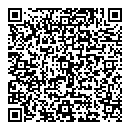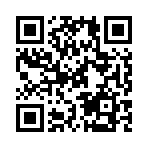
QR shortcode
Usage
The qr shortcode encodes the given text into a QR code using the specified options and renders the resulting image. Pass the text with the text argument, or place it between the opening and closing shortcode tags.
When you pass the text with the text argument, use the self-closing syntax by adding a slash before the closing delimiter, such as {{< qr text="https://gohugo.io" />}}. Without the slash, Hugo looks for a closing tag, and the build can fail with an error stating that the shortcode must be closed or self-closed.
The shortcode calls the images.QR function, which describes the encoding process and the error correction levels in detail.
To override Hugo’s embedded qr shortcode, copy the source code to a file with the same name in the layouts/_shortcodes directory.
Arguments
The qr shortcode accepts named arguments.
alt- (
string) Thealtattribute of theimgelement. bgColor- New in v0.171.0
- (
string) The background color, expressed as an RGB or RGBA hexadecimal color, with or without a leading hash mark. To make the background transparent, set the alpha channel to00, such as#ffffff00. Default is#ffffff(opaque white). class- (
string) Theclassattribute of theimgelement. fgColor- New in v0.171.0
- (
string) The foreground color, expressed as an RGB or RGBA hexadecimal color, with or without a leading hash mark. Default is#000000(opaque black). id- (
string) Theidattribute of theimgelement. level- (
string) The error correction level to use when encoding the text, one oflow,medium,quartile, orhigh. Default ismedium. loading- (
string) Theloadingattribute of theimgelement, eithereagerorlazy. scale- (
int) The number of image pixels per QR code module. Must be greater than or equal to 2. Default is4. targetDir- (
string) The subdirectory within thepublicdirectory where Hugo places the generated image. text- (
string) The text to encode, falling back to the text between the opening and closing shortcode tags. title- (
string) Thetitleattribute of theimgelement.
Examples
{{< qr text="https://gohugo.io" />}}Your browser displays this:
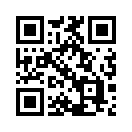
With the text between the opening and closing tags:
{{< qr >}}
https://gohugo.io
{{< /qr >}}
Your browser displays this:
With a navy foreground and a light blue background:
{{< qr text="https://gohugo.io" fgColor="#000080" bgColor="#e0f0ff" />}}Your browser displays this:

With contact information in the vCard format:
{{< qr level="low" scale=2 alt="QR code of vCard for John Smith" >}}
BEGIN:VCARD
VERSION:2.1
N;CHARSET=UTF-8:Smith;John;R.;Dr.;PhD
FN;CHARSET=UTF-8:Dr. John R. Smith, PhD.
ORG;CHARSET=UTF-8:ABC Widgets
TITLE;CHARSET=UTF-8:Vice President Engineering
TEL;TYPE=WORK:+12065550101
EMAIL;TYPE=WORK:jsmith@example.org
END:VCARD
{{< /qr >}}
Your browser displays this: