
Figure shortcode
Usage
The figure shortcode renders an HTML figure element containing an image, with an optional link, title, caption, and attribution.
The shortcode resolves the image path by looking for a matching page resource, falling back to a matching global resource. Hugo passes remote URLs through unchanged, and does not log an error or warning if it cannot resolve the path.
Place global resources in the assets directory. If your images are in the static directory and you cannot move them, mount the static directory to the assets directory by adding both of these entries to your project configuration:
module:
  mounts:
  - source: assets
    target: assets
  - source: static
    target: assets
[module]
  [[module.mounts]]
    source = 'assets'
    target = 'assets'
  [[module.mounts]]
    source = 'static'
    target = 'assets'
{
   "module": {
      "mounts": [
         {
            "source": "assets",
            "target": "assets"
         },
         {
            "source": "static",
            "target": "assets"
         }
      ]
   }
}
To override Hugo’s embedded figure shortcode, copy the source code to a file with the same name in the layouts/_shortcodes directory.
Arguments
The figure shortcode accepts named arguments.
alt- (
string) Thealtattribute of theimgelement. If you do not set this argument, Hugo uses thecaptionconverted to plain text. attr- (
string) The attribution, rendered from Markdown to HTML. Hugo places the attribution after the caption, within thefigcaptionelement. attrlink- (
string) Thehrefattribute of the anchor element that wraps the attribution. caption- (
string) The caption, rendered from Markdown to HTML. Hugo places the caption at the bottom of thefigcaptionelement. class- (
string) Theclassattribute of thefigureelement. height- (
int) Theheightattribute of theimgelement. link- (
string) Thehrefattribute of the anchor element that wraps theimgelement. loading- (
string) Theloadingattribute of theimgelement. rel- (
string) Therelattribute of the anchor element that wraps theimgelement. src- (
string) The path to the image, typically a page resource or a global resource. Hugo uses this value to set thesrcattribute of theimgelement. target- (
string) Thetargetattribute of the anchor element that wraps theimgelement. title- (
string) The title, wrapped in anh4element at the top of thefigcaptionelement. width- (
int) Thewidthattribute of theimgelement.
Examples
{{< figure
  src="/images/examples/zion-national-park.jpg"
  alt="A photograph of Zion National Park"
  link="https://www.nps.gov/zion/index.htm"
  caption="Zion National Park"
  class="ma0 w-75"
>}}
Your browser displays this:
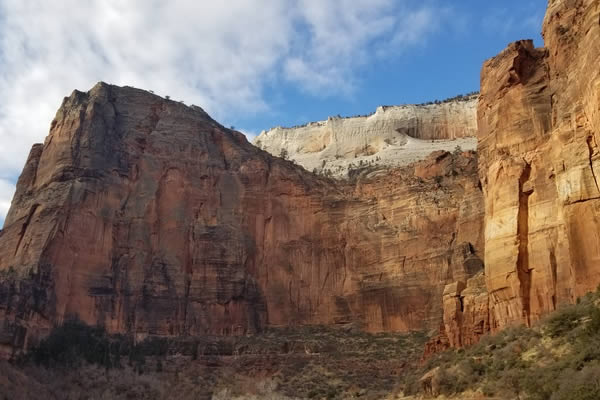
Zion National Park
With a title and an attribution:
{{< figure
  src="/images/examples/zion-national-park.jpg"
  alt="A photograph of Zion National Park"
  title="Zion National Park"
  caption="Southwestern Utah"
  attr="National Park Service"
  attrlink="https://www.nps.gov/"
>}}
Your browser displays this:
Zion National Park
Southwestern Utah National Park Service