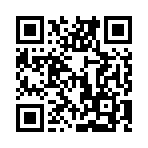
images.QR
- Syntax
- images.QR TEXT [OPTIONS]
- Returns
- images.ImageResource
Usage
The images.QR function returns an image resource containing a QR code encoded from the given text using the specified options. These factors determine the size of the generated image:
- Data length: Longer text requires a larger image.
- Error correction level: A higher error correction level makes the QR code more resistant to damage, but typically produces a larger image.
- Pixels per module: The number of image pixels in each module, the smallest unit of the QR code. A higher value produces a larger image with a higher resolution.
The default option values are sufficient for most applications.
As you decrease the size of a QR code, you also decrease the maximum distance at which a device can reliably scan it. For example, if you set scale to 2, each module is 2 pixels wide. This might be sufficient for display on a screen, but it is likely to fail when printed at 600 dots per inch:
This module size is half of the commonly recommended minimum of 0.170 millimeters. If you plan to print the QR code, use the default scale value of 4.
Do not use Hugo’s image processing methods to resize a QR code. Resizing can blur the image when a module occupies a fractional number of pixels.
If you change the colors, use a dark foreground on a light background with high contrast. Some devices cannot scan a QR code with low contrast or with a light foreground on a dark background. If the background is transparent, make sure that the content behind the image provides enough contrast.
Test the rendered QR code both on screen and in print.
To insert a QR code into your content, use the qr shortcode.
Arguments
TEXT- (
string) The text to encode. The build fails if the text is empty. OPTIONS- (
map) See options.
Options
The images.QR function accepts an options map.
bgColor- New in v0.171.0
- (
stringorimages.Color) The background color, expressed as an RGB or RGBA hexadecimal color, with or without a leading hash mark. To make the background transparent, set the alpha channel to00, such as#ffffff00. Default is#ffffff(opaque white). fgColor- New in v0.171.0
- (
stringorimages.Color) The foreground color, expressed as an RGB or RGBA hexadecimal color, with or without a leading hash mark. Default is#000000(opaque black). level- (
string) The error correction level to use when encoding the text, one oflow,medium,quartile, orhigh. Default ismedium.Error correction level Redundancy low20% medium38% quartile55% high65% scale- (
int) The number of image pixels per QR code module. Must be greater than or equal to2. Default is4. targetDir- (
string) The subdirectory within thepublicdirectory where Hugo places the generated image. Use slashes (/) to separate path segments. Hugo creates the subdirectories if they do not exist. If empty or omitted, Hugo places the image in the root of thepublicdirectory.
Examples
{{ $text := "https://gohugo.io" }}
{{ with images.QR $text }}
  <img src="{{ .RelPermalink }}" width="{{ .Width }}" height="{{ .Height }}" alt="">
{{ end }}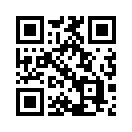
With options:
{{ $text := "https://gohugo.io" }}
{{ $opts := dict
  "level" "high"
  "scale" 3
  "targetDir" "images/qr"
}}
{{ with images.QR $text $opts }}
  <img src="{{ .RelPermalink }}" width="{{ .Width }}" height="{{ .Height }}" alt="">
{{ end }}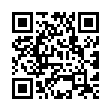
With a navy foreground and a light blue background:
{{ $text := "https://gohugo.io" }}
{{ $opts := dict
  "fgColor" "#000080"
  "bgColor" "#e0f0ff"
  "targetDir" "images/qr"
}}
{{ with images.QR $text $opts }}
  <img src="{{ .RelPermalink }}" width="{{ .Width }}" height="{{ .Height }}" alt="">
{{ end }}
Encoding the permalink of the current page, and hiding the QR code with CSS unless printing the page:
{{ with images.QR .Permalink }}
  <img
    src="{{ .RelPermalink }}"
    width="{{ .Width }}"
    height="{{ .Height }}"
    alt="QR code linking to {{ $.Permalink }}"
    class="qr-code"
    loading="lazy"
  >
{{ end }}
/* Hide QR code by default */
.qr-code {
display: none;
}
/* Show QR code when printing */
@media print {
.qr-code {
display: block;
}
}